 CADRE profiler
Section property analysis
This application is used to design custom section profiles and determine the geometric properties of beam cross sections composed of different materials with complex shapes. CADRE Profiler is the only section property application available that provides two entirely independent means of validating section properties so that one method can be use to check the other.
System requirements
For Windows™ 10, 8.1, 8, 7, Vista (32 & 64 bit), XPWhy do you need a section property analysis application?
1) To check critical values from tables or software before using them.
Section properties taken from tables or software databases should be checked by hand calculation or other independent means. CADRE Profiler has a 'basic shapes' generator that will instantly generate a drawing of standard shapes such as bars, tubes, "L", "C", "T", "Z" and "I" (including tapered flanges and corner radii). Just enter the dimensional information from the table to generate and solve the drawing.
2) To derive section properties for built-up combinations of standard and basic section shapes.
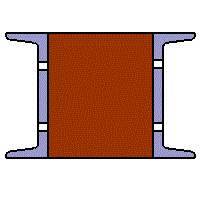
Combinations of standard or basic shapes such as bars, tubes, "L", "C", "T", "Z" and "I" (with or without tapered flanges) can be created, combined, and solved in just a few seconds with the 'Basic Shapes' import feature. Typically these combination composite sections require no detail drawing at all.
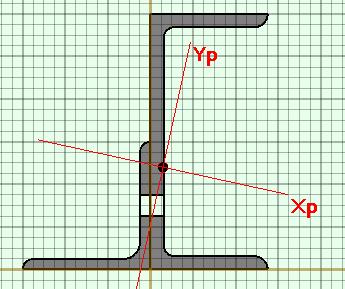
3) To derive section properties for custom design sections.
The use of custom extrusions is becoming as economical as using off-the-shelf items but you will need to calculate the properties yourself. The drawing tools in CADRE Profiler allow one to easily draw any shape. Alternatively, you can draw in CAD and import to CADRE Profiler for analysis.
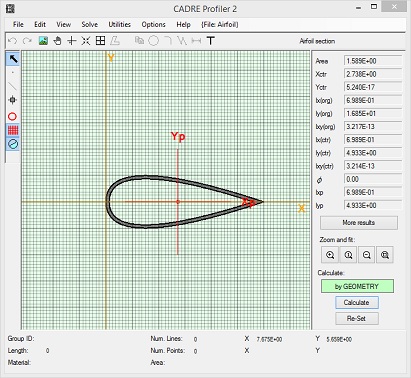
CAD programs do a reasonable job of section property calculation for basic area and inertia but are not very complete with cross products, principal axes, and extreme value distances along principal or other axes. They can also produce very wrong answers with no check method like the independent alternate solution methods provided with CADRE Profiler.
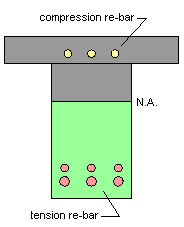
4) To determine equivalent section properties and section load capacities for beams with multiple materials including re-reinforced concrete.
CADRE Profiler allows one to determine the overall "equivalent" section properties and neutral axes for multiple material sections including reinforced concrete beams. The application includes many sample sections taken from structural engineering design manuals with their construction technique described in detail in the notes page for each file.
Features
-
A unit-independent application
-
calculation of moments of inertia, cross product of inertia, centroid, principal axes, bending moduli and extreme fiber distances both on the design axes as well as the principal axes
-
handles very thin gage sections accurately
-
handles non-homogeneous sections including reinforced concrete beams
-
two completely independent and dissimilar solution methods are provided so one can be used to check against the other
-
merging to combine previously created section files
-
merging to combine common shapes such as round and rectangular tubes, I-beam shapes, 'L' shapes, 'C' shapes, 'T' shapes, 'Z' shapes with little, if any, additional drawing. These shapes include tapered flanges and radii
-
analysis of multiple built-up sections with different materials
-
rotating, translating, and flipping all or components of the section drawing
-
snap to grid
-
automatically install corner radii on corners intersecting at any angle. automatically rotate and/or translate to principal axes duplicate section drawing components
-
quickly check areas and lengths of individual components
-
zoom, shrink, fit to window, and dynamic pan capability
-
import from and export to CAD
-
export results to create or append CADRE Pro section property files
Documentation
Documentation includes an extensive context sensitive help file, a complete User Manual, and large supply of sample section files. You can download a Guide to the CADRE Profiler sample files provided with the installation.
The user manual is produced in Adobe Acrobat pdf format and set up for high quality printing.
It is set up for two sizes, American 8.5 x 11 and Metric A4 21 x 29.7 centimeter
Download CADRE profiler evaluation (fully functioning version)
There are no popup ads or other promotional features attached to this evaluation application and you do not need to register your email address or any other personal information in order download and run the evaluation version.